
How to View Sold Boat Data in the ProSeller Platform
Starting October 13, 2026, the SoldBoats tab in BoatWizard will be retired. You can continue to access sold boat data directly through the ProSeller Platform, alongside for-sale boat data.
No data is being lost as part of this change. Your sold boat data will continue to be available in the ProSeller Platform.
How to Access Sold Boat Data
Follow these steps to view sold boat data:
- Log in to BoatWizard.
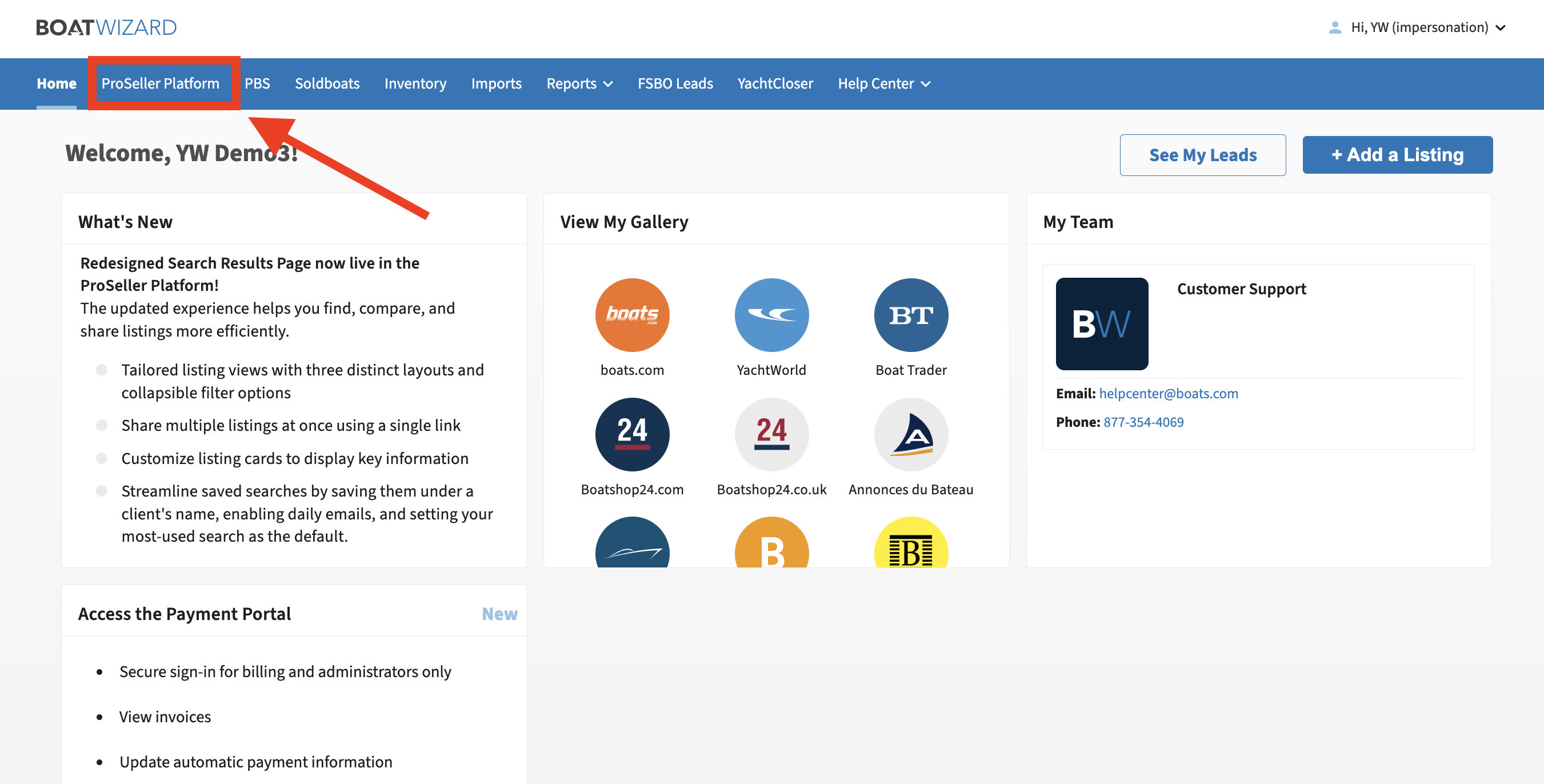
- Click ProSeller Platform at the top of the BoatWizard navigation panel.
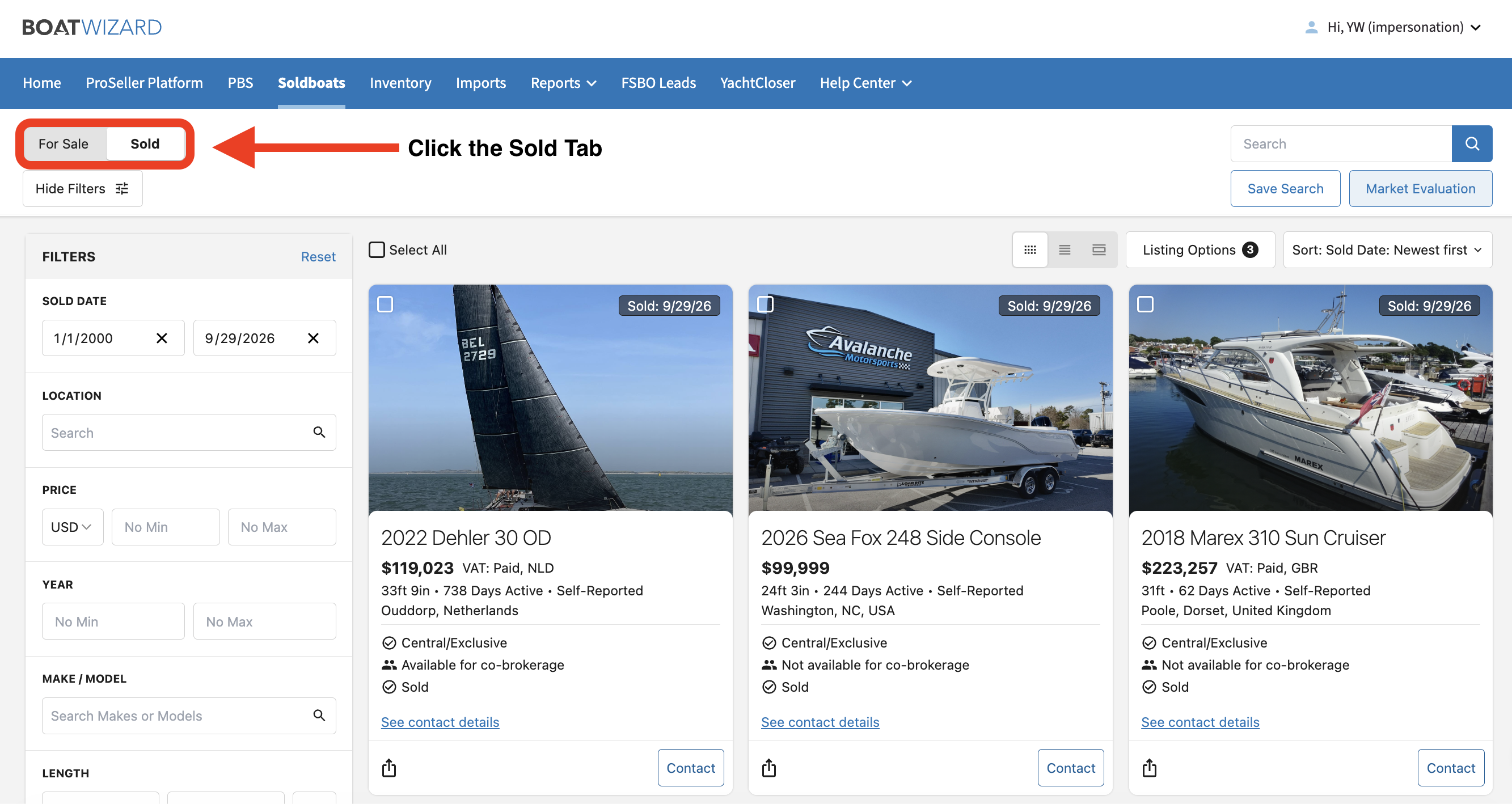
- In the ProSeller Platform, click Sold in the top-left corner to access sold boat data.
Tip: Use the filters below the For Sale/Sold tabs to refine your search and find the specific boats that match your criteria.
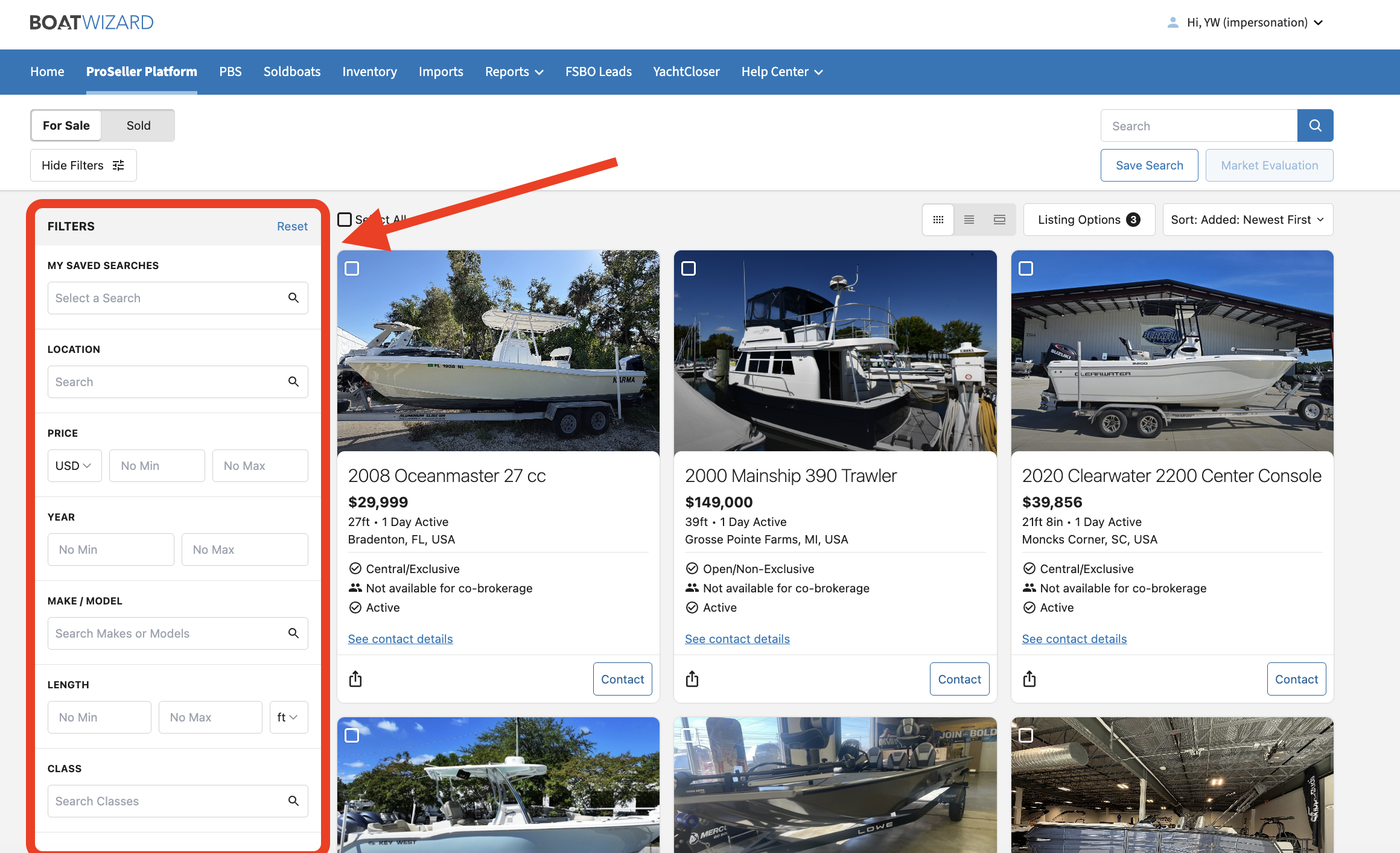
You can use the ProSeller Platform to search and explore both sold and for-sale boat data in one place.
Want to Learn More About the ProSeller Platform?
Watch our recent ProSeller Platform walkthrough for a deeper look at the platform, including its key features and tools.
If you have any questions about this change, please reach out to your Account Manager.